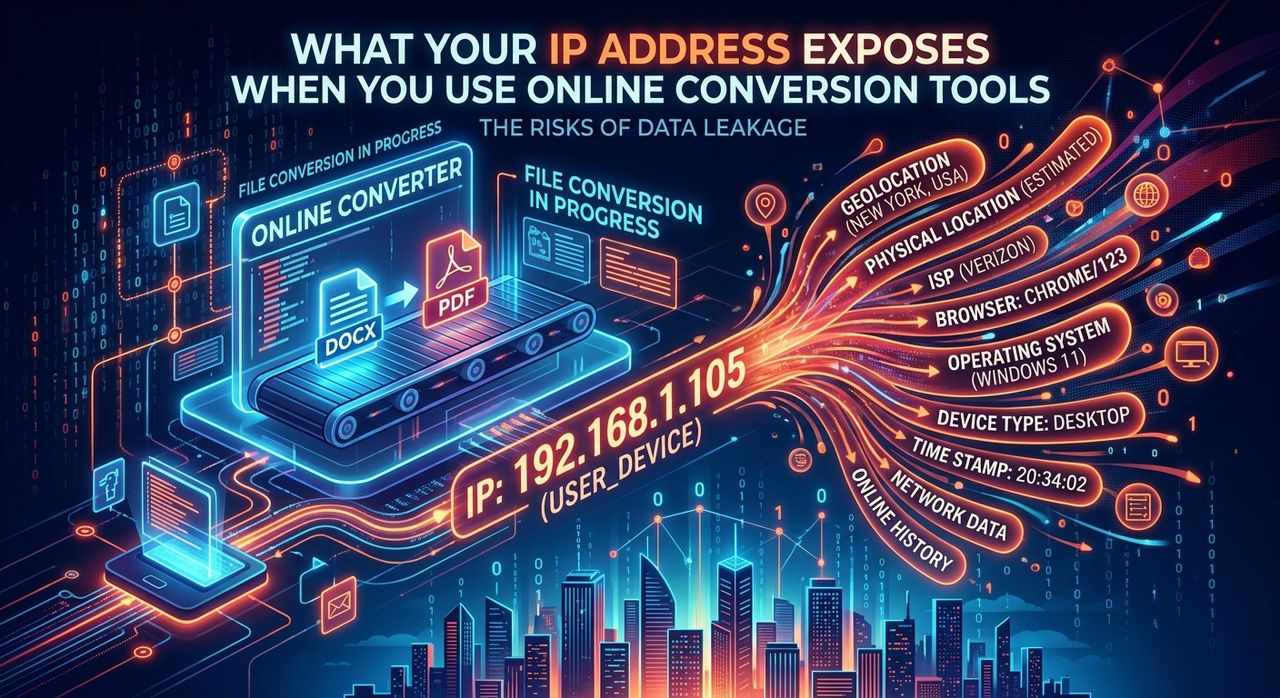
Every time you drop an audio file into a browser-based converter, you're doing something that feels completely ordinary. You're converting an MP3 to a WAV, or a FLAC to an AAC, or stripping audio from a video. It takes seconds. You close the tab. And you probably don't think twice about it. But that ordinary action leaves a trail. The server on the other side of that upload doesn't just receive your file. It receives a small packet of information about you, pulled automatically from your browser before the conversion even begins. Most of that information you never consciously handed over.
What gets logged goes well beyond your IP address. Every file upload to a browser-based tool can silently record:
- Your IP address, which points to your city, ISP, and sometimes your neighborhood
- Your browser version, operating system, and installed language settings
- A unique identifier assembled from your browser's behavior, known as a canvas fingerprint
What Actually Happens the Moment You Upload
The request your browser sends to a conversion server contains a standard set of HTTP headers. These headers exist for technical reasons. They help servers understand how to respond. But they also carry data that can be logged, stored, and, in some cases, tied to a persistent user profile.
Your IP address is the most obvious piece. It's present in every web request you make. But your IP alone is enough to expose your approximate location, your internet service provider, and whether you're routing traffic through a residential or commercial network. In many countries, IP addresses are legally classified as personal data under privacy regulations like the GDPR.
That's just the start.
The Data That Never Shows Up in a Privacy Policy
Browser headers include your user-agent string, which reveals your browser name, version number, and operating system. Your browser also sends your preferred language and, in some cases, your timezone offset. None of this is hidden. None of it requires a cookie. It gets transmitted automatically, by design, every time you make a request.
Here's a more complete picture of what a server can log from a single file upload:
- IP address and the geographic region it maps to
- Browser name and exact version number
- Operating system and device type
- Preferred language and locale settings
- Timezone and UTC offset
- Referrer URL (the page you came from)
- Screen resolution and color depth, if the site runs any JavaScript on load
Some of these data points are relatively low-stakes in isolation. But combine several of them, and you get something much more specific: a fingerprint. Research on device fingerprinting shows that the combination of browser attributes can identify a specific device with surprisingly high accuracy, even without cookies or a login.
See What a Site Can Detect About You Right Now
Understanding this in the abstract is one thing. Seeing it in practice is another.
If you want a concrete look at how much information your browser exposes automatically, check your own browser fingerprint. The results tend to surprise people. What looks like a generic browser session often turns out to be a profile unique enough to single you out from thousands of other users, without any account, without any login, and without any cookie consent popup.
This is the part that catches most people off guard. You can clear your cookies. You can browse in incognito mode. But your fingerprint travels with you because it's built from the technical characteristics of your browser and hardware, not from files stored on your device.
Why This Matters for File Converter Users Specifically
Browser-based tools like audio converters are popular precisely because they require nothing. No download. No signup. No commitment. You visit the page, convert the file, and leave.
But "no account required" doesn't mean "no data collected." It means no account is required. The server still processes your request, and processing logs are created. Whether those logs are retained for an hour or a year depends entirely on the operator's policies and infrastructure.
Most casual users assume that because they didn't sign in, they can't be identified. That's not accurate. A consistent IP address, combined with a stable browser fingerprint and matching timezone, is often enough to recognize a returning visitor across multiple sessions. The technical groundwork for this kind of tracking has been documented extensively in academic literature, including work published by researchers at institutions studying web privacy and browser security.
Your First Practical Step: Masking Your IP
The most straightforward way to reduce what a conversion server logs is to stop broadcasting your real IP address. When you hide my IP before uploading a file, the server sees the address of an intermediary, not your actual home or office connection. That breaks the most persistent thread connecting your activity to your identity.
This doesn't require technical expertise. Browser extensions and privacy-focused networks can handle it in the background. The practical effect is that your upload request arrives looking like it came from somewhere else, and your real IP stays out of any log that gets written.
It's not a complete solution on its own, since browser fingerprinting operates independently of your IP. But it removes the most identifiable and legally sensitive data point from the equation. That's a meaningful reduction in exposure, not a perfect shield, but a real one.
Practical Steps You Can Take Today
Getting more serious about what your browser reveals doesn't require overhauling your entire setup. A few targeted changes go a long way:
- Use a privacy-respecting browser or enable strict fingerprint protection in your current browser's settings
- Route your connection through a VPN or privacy proxy before uploading sensitive files
- Avoid using the same browser session for both logged-in personal accounts and anonymous tool usage
- Periodically clear browser storage and check whether your fingerprint changes between sessions
These habits won't make you invisible, but they significantly reduce how much useful data any single upload hands over to a server you know nothing about.
If You Already Run a VPN, Verify It's Actually Working
Many users who are already privacy-conscious use a VPN. That's a solid approach, but it comes with an important caveat. VPNs can and do leak your real IP address, especially through WebRTC, a browser feature designed for real-time communication that sometimes bypasses your VPN tunnel entirely.
If you're uploading files under the assumption that your VPN is masking your IP, it's worth running a VPN leak check to confirm that assumption is correct. A leak means your real IP is being transmitted alongside, or instead of, your VPN address, which would make your VPN protection effectively irrelevant for browser-based tools.
This check takes seconds and should be part of any setup where you're relying on a VPN for meaningful privacy. A VPN that leaks is worse than no VPN in one specific way: it creates a false sense of security. You make decisions based on protection you think you have, and you don't.
What Travels With Your File When You Hit Convert
The gap between what users assume gets logged and what actually gets logged is wide. That gap exists not because conversion tools are uniquely intrusive, but because most people have never had a reason to think carefully about HTTP headers, fingerprinting, or the distinction between "no account" and "no record."
Audio converters are useful, genuinely useful, and most of the time entirely benign. But they sit inside a browser, and browsers are extraordinarily communicative by default. Every feature designed to make the web work smoothly, like knowing your timezone for displaying dates or your language for localization, doubles as a data point that gets transmitted with every request.
The action worth taking isn't abandoning online tools. It's going in with a clear picture of what travels alongside your file the moment you hit that convert button. Check what your browser reveals. Mask your real address before uploading anything you'd rather keep private. And if you use a VPN, confirm it's actually doing the job you're counting on it to do. None of this is difficult. It just requires knowing to ask in the first place.