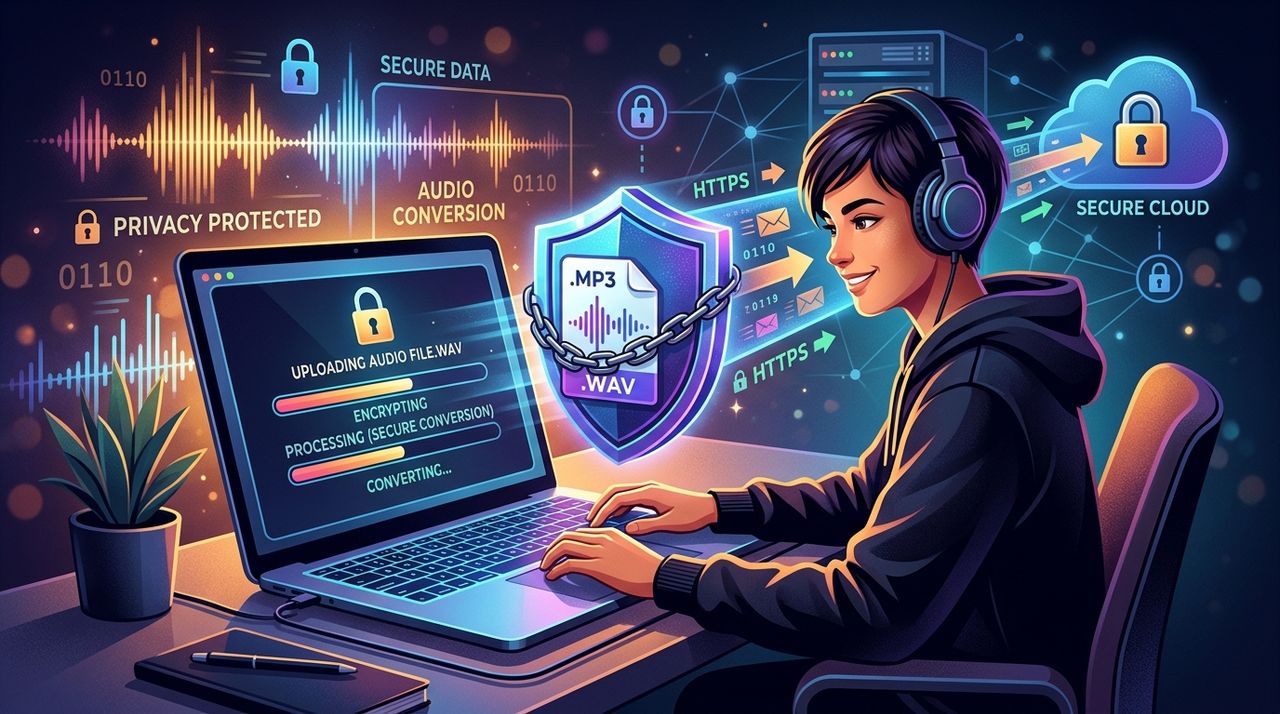
Every time you drop an audio file into an online converter, you are trusting the internet with something personal. That file might be a voice memo, a client recording, an original track, or even licensed music you are processing for a project. It feels like a private exchange between you and a website. But the path that file takes across the internet is rarely as private as it looks, and most people never stop to think about who else might be watching along the way.
Most audio uploaders have no idea how exposed their files are in transit.
- Internet service providers can monitor unencrypted traffic and log which services you connect to.
- Public Wi-Fi networks give anyone nearby a window into your upload activity.
- Data retention laws differ by country, meaning your upload metadata may be stored far longer than you realize.
What Happens to Your File Between Your Device and the Server
When you upload a file to an online audio converter, the data does not teleport. It moves across a series of networks, passing through your router, your ISP's infrastructure, and a chain of servers before it ever reaches the conversion tool. Each hop is a point where that data could, in theory, be observed.
Modern conversion sites use HTTPS, which encrypts the content of your upload using TLS encryption. That means someone intercepting the raw traffic cannot easily read the file itself. But encryption does not hide everything. Your ISP can still see that you connected to a particular domain, at a particular time, from your IP address. That metadata adds up.
If you are uploading client work, copyrighted audio, or anything professionally sensitive, that connection log is more meaningful than it sounds.
ISP Monitoring: The Observer You Never See
Your internet service provider is the invisible middleman in every online session. All traffic from your home or office flows through their infrastructure before it reaches any external server. ISPs have both the technical capability and, in many jurisdictions, the legal authority to log what services you access.
In the United States, for example, legislation passed in 2017 rolled back rules that had prevented ISPs from selling customers' browsing data without consent. That does not mean your ISP is actively packaging your audio upload habits for sale, but it does mean the regulatory guardrails are weaker than many people assume.
If you regularly upload audio files as part of a professional workflow, the pattern of those connections, which tools you use, how frequently, from what location, can paint a surprisingly detailed picture of your work.
Public Wi-Fi: Where Risk Gets Immediate
Coffee shops, airports, hotel lobbies, coworking spaces. These are exactly the places where creative professionals often work. And they are also where uploading sensitive files becomes genuinely risky.
Public Wi-Fi networks are shared. Everyone on the same access point is, technically, a neighbor on the same local network. A passive observer on that network can see which domains other users are connecting to, even if the traffic content is encrypted. More aggressive techniques, like a man-in-the-middle attack, can go further, intercepting traffic between your device and the router before HTTPS kicks in fully.
The risks break down like this:
- Network snooping: Other users on the same Wi-Fi can observe your connection patterns.
- Rogue hotspots: Fake access points with legitimate-sounding names trick devices into connecting.
- Session hijacking: Authentication tokens can sometimes be captured on poorly secured networks.
- DNS leaks: Even with basic precautions, your device may leak which domains you are resolving.
None of these require sophisticated equipment. A hobbyist with a laptop and the right software can pull this off in a busy cafe.
Jurisdiction and Data Retention Laws
Where a conversion service is hosted matters more than most users realize. A company based in the European Union operates under the GDPR, which gives users meaningful rights over how their data is stored and processed. A service hosted in a country with weaker privacy laws may keep logs of your uploads, your IP address, and your file metadata for years.
Data retention laws in some countries require internet companies to store user activity logs for anywhere from six months to several years. Even if the service you use deletes your converted file after processing, your connection metadata may live on in infrastructure you have no visibility into.
This is not a hypothetical problem for edge cases. If you are a freelancer processing a client's private recordings, a musician converting unreleased tracks, or a podcaster handling sensitive interviews, that metadata trail has real professional implications.
Comparing Upload Risk Across Different Scenarios
| Scenario | ISP Visibility | Wi-Fi Exposure | Metadata Logged |
|---|---|---|---|
| Home internet, HTTPS site | Connection metadata visible | Low | Likely yes |
| Public Wi-Fi, HTTPS site | Connection metadata visible | High | Likely yes |
| Home internet, with VPN | Destination masked | Low | Minimal |
| Public Wi-Fi, with VPN | Destination masked | Low | Minimal |
The pattern is clear. The file content may be encrypted regardless, but your connection metadata and your exposure on shared networks vary a lot depending on whether you add a layer of protection.
How a VPN Changes the Picture
A VPN, or virtual private network, routes your traffic through an encrypted tunnel before it reaches your ISP or any shared network infrastructure. From the outside, your upload looks like a connection to the VPN server, not to the audio converter. Your ISP sees only that you are connected to a VPN. The conversion site sees only the VPN's IP address, not yours.
This changes things meaningfully:
- Your ISP cannot log which tools you use. The destination is hidden inside the encrypted tunnel.
- Public Wi-Fi observers see nothing useful. All traffic appears as encrypted noise.
- Your real IP address is not recorded. The converter site logs the VPN server's address instead.
- DNS leaks are prevented. A properly configured VPN handles DNS resolution internally.
For creators who regularly move between home setups and public networks, this kind of protection travels with you. It is not tied to your location.
One Tool for the Full Creator Workflow
Here is something worth noting. A good VPN does not only protect file uploads. It also protects every other online activity in a creator's day, including streaming reference tracks, watching tutorial videos, accessing cloud DAWs, or simply browsing while logged into client accounts.
Using a streaming VPN means the same tool that shields your audio upload also covers your consumption habits, your browsing activity, and your connection to any streaming platform you use for research or inspiration. You are not patching one hole at a time. You are wrapping your entire session in a consistent layer of privacy.
For anyone who works with audio professionally, that continuity matters. The upload moment is just one part of a workflow that touches many services throughout the day.
Practical Steps Before Your Next Upload
Getting started does not require a technical background. Here is a straightforward approach:
- Install a reputable VPN on the devices you use for audio work.
- Connect to the VPN before opening any browser session where you plan to upload files.
- Prefer upload sessions on your home network over public Wi-Fi when handling sensitive material.
- Check that the conversion service you use clearly states a file deletion policy, ideally one that removes uploaded files within hours of processing.
- Use private browsing mode in combination with a VPN for an additional layer of session isolation.
None of these steps require special skills. They take a few minutes to set up and run quietly in the background from that point forward.
Your Files Deserve the Same Protection as Your Finished Work
Creators spend enormous energy protecting their finished work. They license it carefully, watermark it, lock down their distribution channels. But the moment a raw file travels from a local drive to an online tool, that same caution often disappears.
The infrastructure of the internet was not built with creator privacy as a priority. ISPs log by default. Public networks share by design. Jurisdictional laws create unpredictable retention windows. None of that changes just because a site uses HTTPS.
Treating your upload sessions with the same care you give your finished releases is not paranoia. It is just consistent professionalism. The tools to do it are accessible, affordable, and genuinely effective. The only thing that has been missing, for most audio creators, is the awareness that the risk was there in the first place.